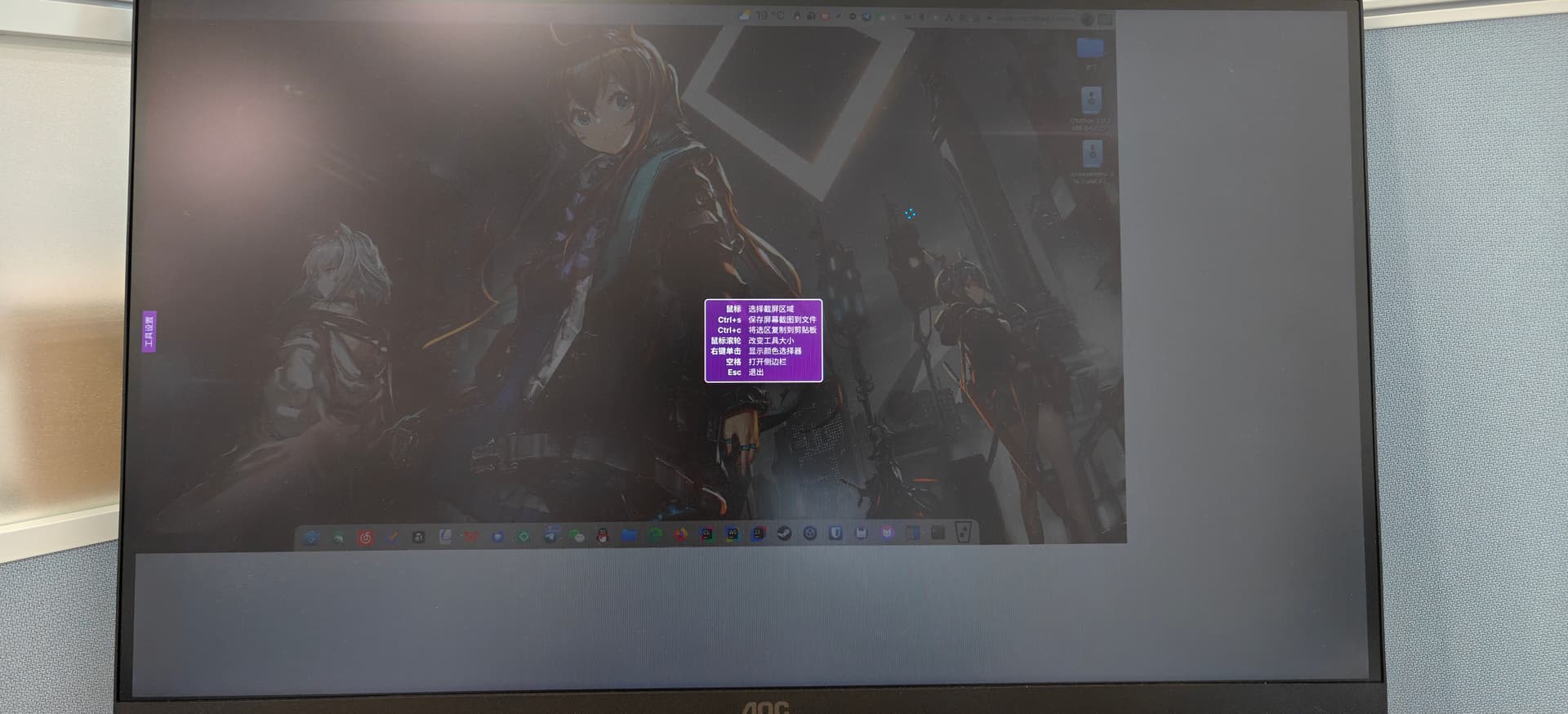
以下是截图启动时实际上的效果
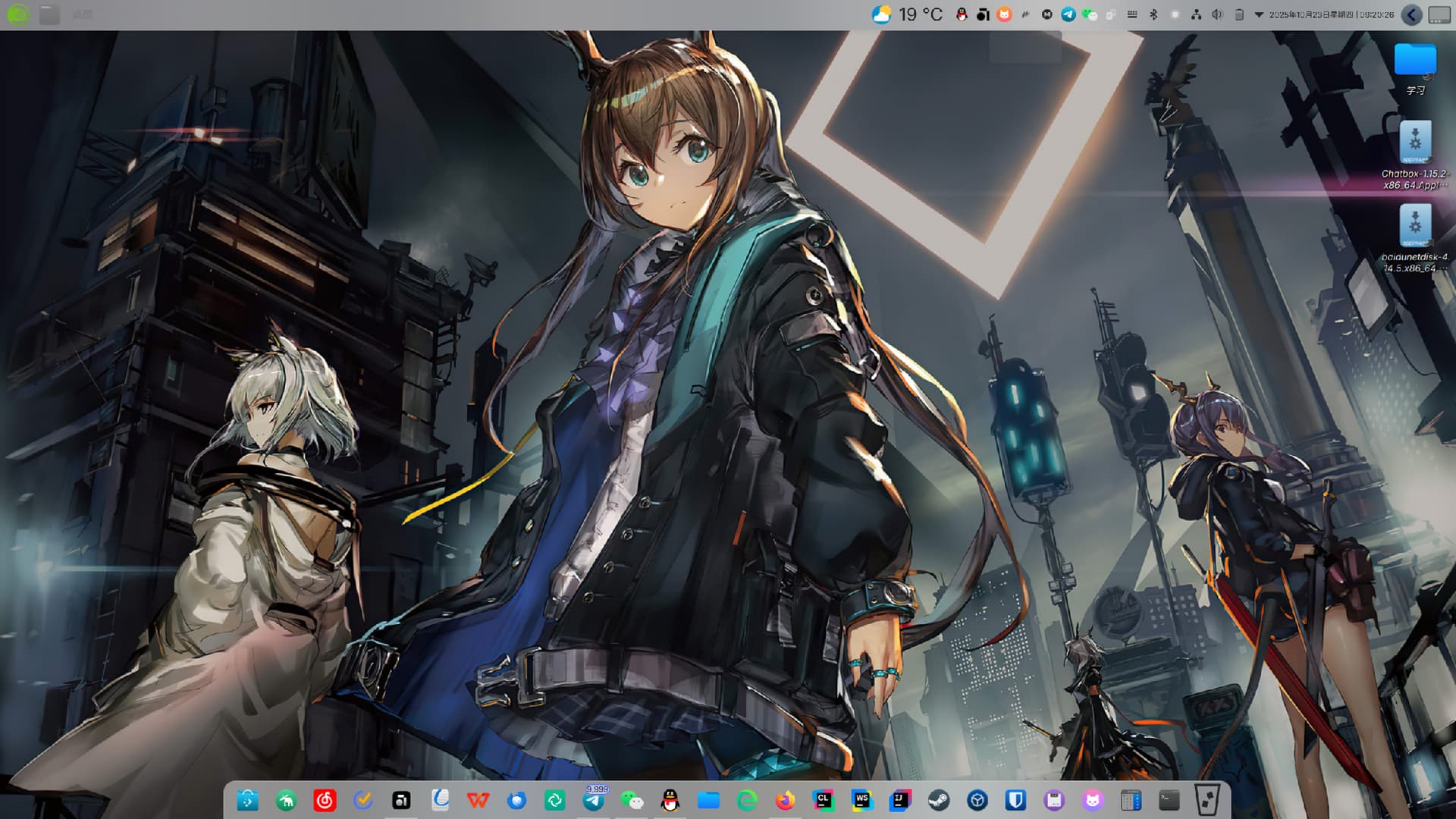
以下是截图后的效果图,虽然没有白边,但显然是糊的
georgemarx@localhost:~> neofetch
JJJJJJJJ georgemarx@localhost
JJJJJJJJJJJJJJ --------------------
JJJJJJ =JJJJJJJ OS: openSUSE Tumbleweed x86_64
JJJJ =JJJ JJJJ Host: HP ZHAN66 16 G8a SBKPFV3
JJJ =JJJ JJJ Kernel: 6.17.3-1-default
JJJJ =JJJ JJJ Uptime: 1 hour, 21 mins
JJJJJJJJJJJJJJJ JJJJ Packages: 223 (pip), 1 (npm), 3870 (rpm)
JJJJJJJJJJJJJJ JJJJ Shell: bash 5.3.3
JJJJ JJJJ Resolution: 2560x1440 @ 60.00Hz
JJJJJ= JJJJ DE: Plasma 6.4.5 [KF 6.19.0] [Qt 6.10.0] (x11)
JJJJJJJJJJJJJJJJJJJJJJJJJJJJJ= WM: KWin
=JJJJJJJJJJJJJJJJJJJJJJJJJJJJJ Theme: Breeze [GTK2/3]
JJJJ =JJJJJJ Icons: kora [GTK2/3]
JJJJ =JJJJ Cursor: Night Diamond (Blue) [GTK2/3]
JJJJ JJJJJJJJJJJJJJ Terminal: konsole
JJJJ JJJJJJJJJJJJJJJ CPU: AMD Ryzen 7 H 250 w/ Radeon 780M (16) @ 5.1GHz
JJJJ JJJJ JJJJ GPU: AMD ATI HawkPoint1
JJJ JJJJ JJJ Memory: 7.71 GiB / 30.62 GiB (25%)
JJJJJ JJJJ JJJJ Network: 1 Gbps; Wifi6
=JJJJJJJJ JJJJJJ BIOS: HP 2.1 (08/26/2025)
JJJJJJJJJJJJJJ
JJJJJJJ=
georgemarx@localhost:~>
georgemarx@localhost:~> rpm -qi flameshot
Name : flameshot
Version : 13.1.0
Release : 1.1
Architecture: x86_64
Install Date: 2025年10月20日 星期一 09时33分48秒
Group : Productivity/Graphics/Other
Size : 3077262
License : GPL-3.0-only
Signature : RSA/SHA512, 2025年10月09日 星期四 02时01分01秒, Key ID 35a2f86e29b700a4
Source RPM : flameshot-13.1.0-1.1.src.rpm
Build Date : 2025年10月08日 星期三 06时11分42秒
Build Host : reproducible
Packager : https://bugs.opensuse.org
Vendor : openSUSE
URL : GitHub - flameshot-org/flameshot: Powerful yet simple to use screenshot software 📸
Summary : Screenshot software
Description :
A program to capture screenshots.
Features:
- Customizable appearance
- Annotation and drawing tools
- DBus interface
- Export to file, Web
Distribution: openSUSE Tumbleweed
georgemarx@localhost:~>
 1600,但截图后的效果图是1080P。目前没看到从软件配置中修改截图尺寸的入口